⏱️ Do It Now
Create a OneNote Page and copy this into the title:
Lesson 1 - Spring 2 - Computer Essentials
Copy this Into a OneNote Page and complete it
|
⏱️Do It Now! |
|
Write down as many parts of a computer as you can think of: |
📖 The Basic Model
All computer systems follow this basic model:
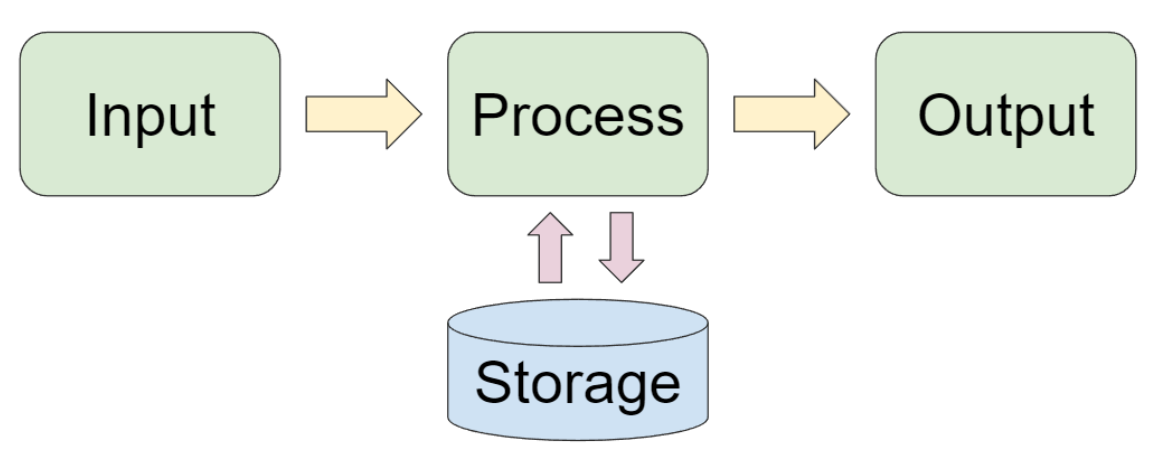
We will now explore each, and its role within a system...
⚙️ 🪛 Key components of The Computer
The majority of computers you have interacted with in your life are able to work thanks to a set of highly specialised components (parts)
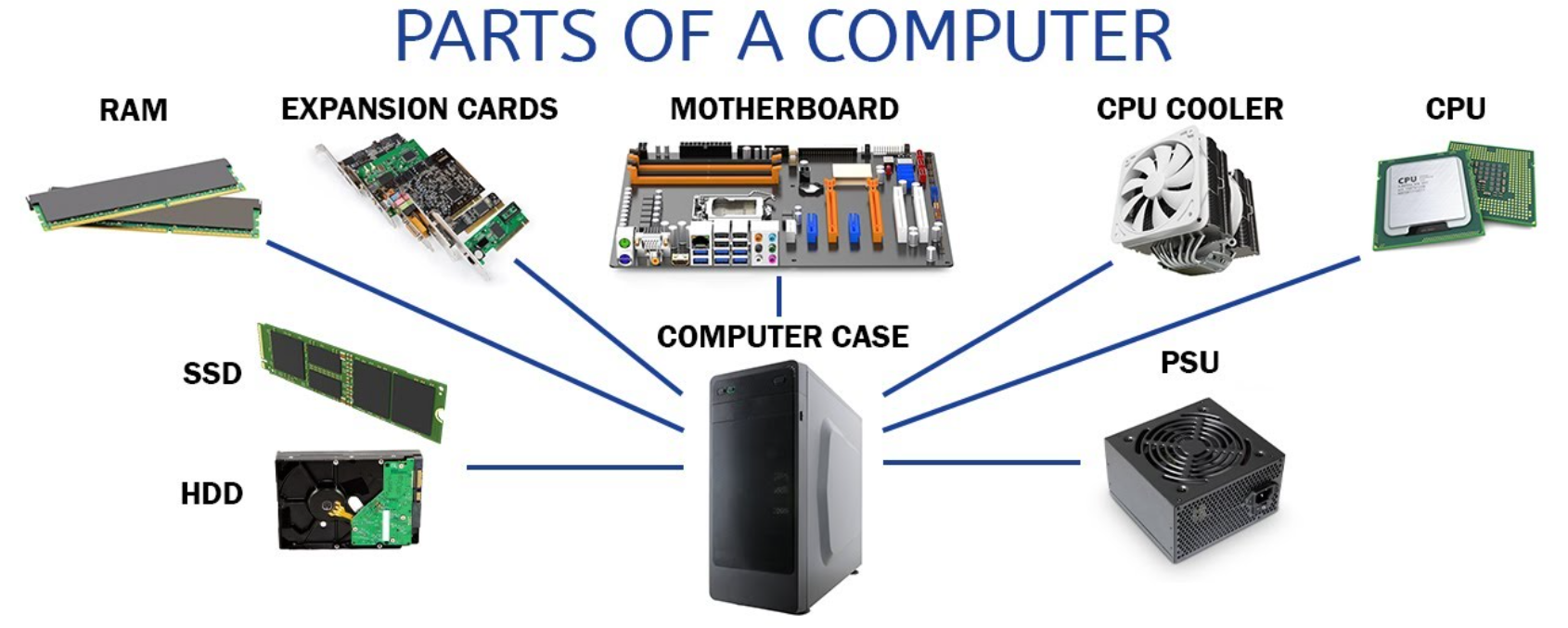
In the next few slides, you will learn what each of these parts is and its crucial role in the effective functioning of the system.
🤶The Motherboard
- The Motherboard is the main circuit board of the computer
- All other components are plugged into the motherboard
- It allows for direct communication between each of the components
- Think of it as the Central Nervous System of the computer!

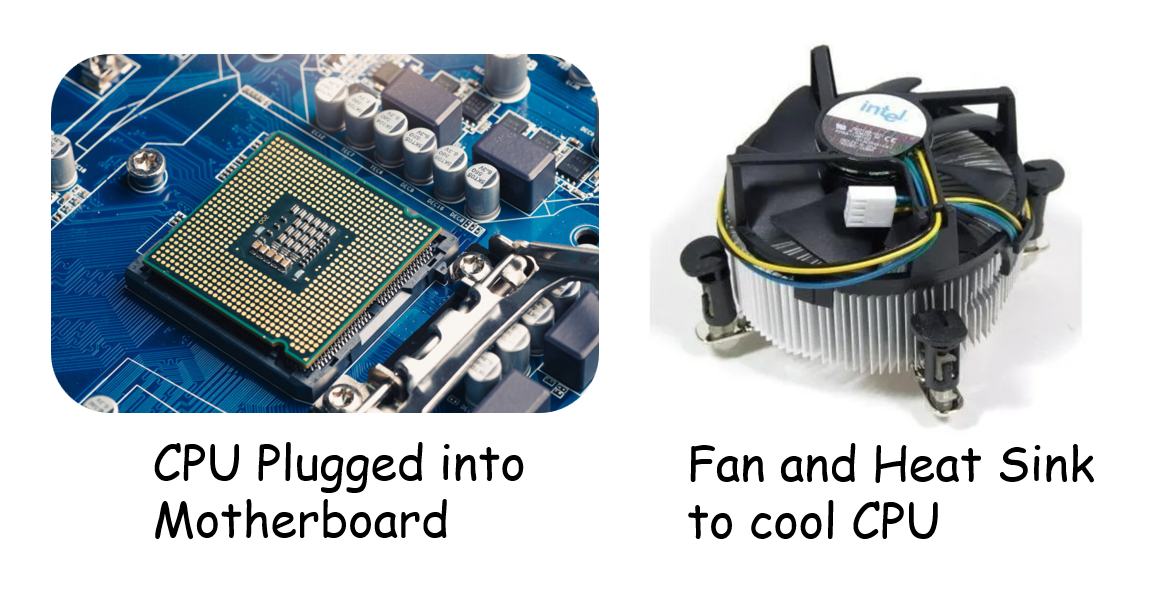
🧠 The Central Processing Unit (CPU)
- The CPU is considered by many to be the brain of the computer
- It carries out calculations and makes decisions at a rate of billions of times per second!
- It carries out so much work that it gets very hot, and most computers also require a cooling system for their CPU!
🐏 Primary Memory (RAM)
The CPU cannot make decisions and carry out calculations without instructions. These instructions are kept in the computer's Primary Memory, often called RAM (short for Random Access Memory)
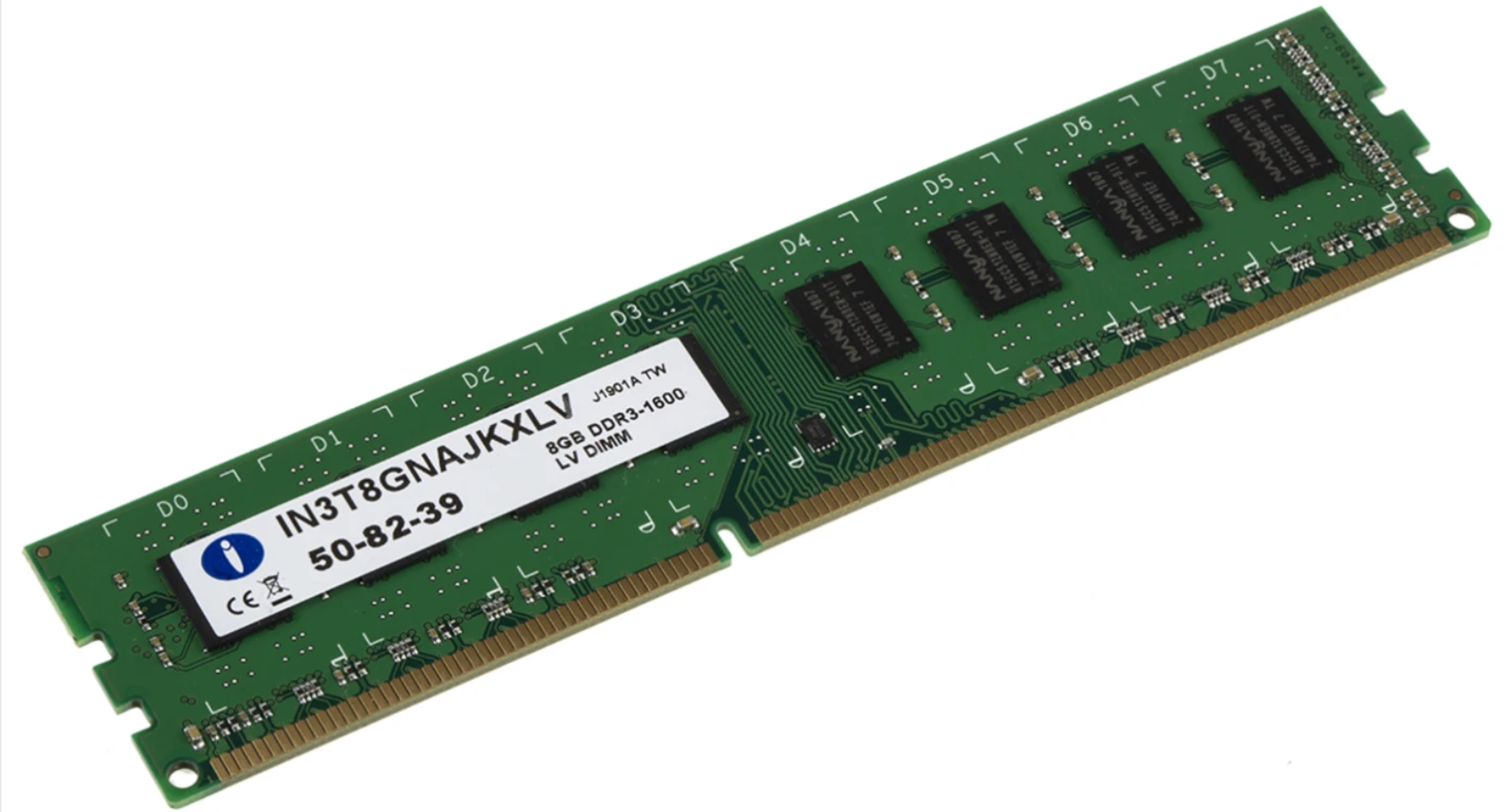
- Each instruction carried out by the CPU is fetched, one-at-a-time, from the primary memory
- Whole sets of instructions must firstly be loaded (placed) into the primary memory, before the CPU can work with them like this.
- The primary memory is volatile; meaning it is wiped clean when the power is switched off!
💽 Secondary Storage
- As you have already learned, the primary memory is volatile; meaning it gets wiped every time the computer is turned off
- We therefore need secondary storage to permanently save our work
- We also need secondary storage to permanently store the instructions that are loaded into the primary memory
- These instructions are actually called a program
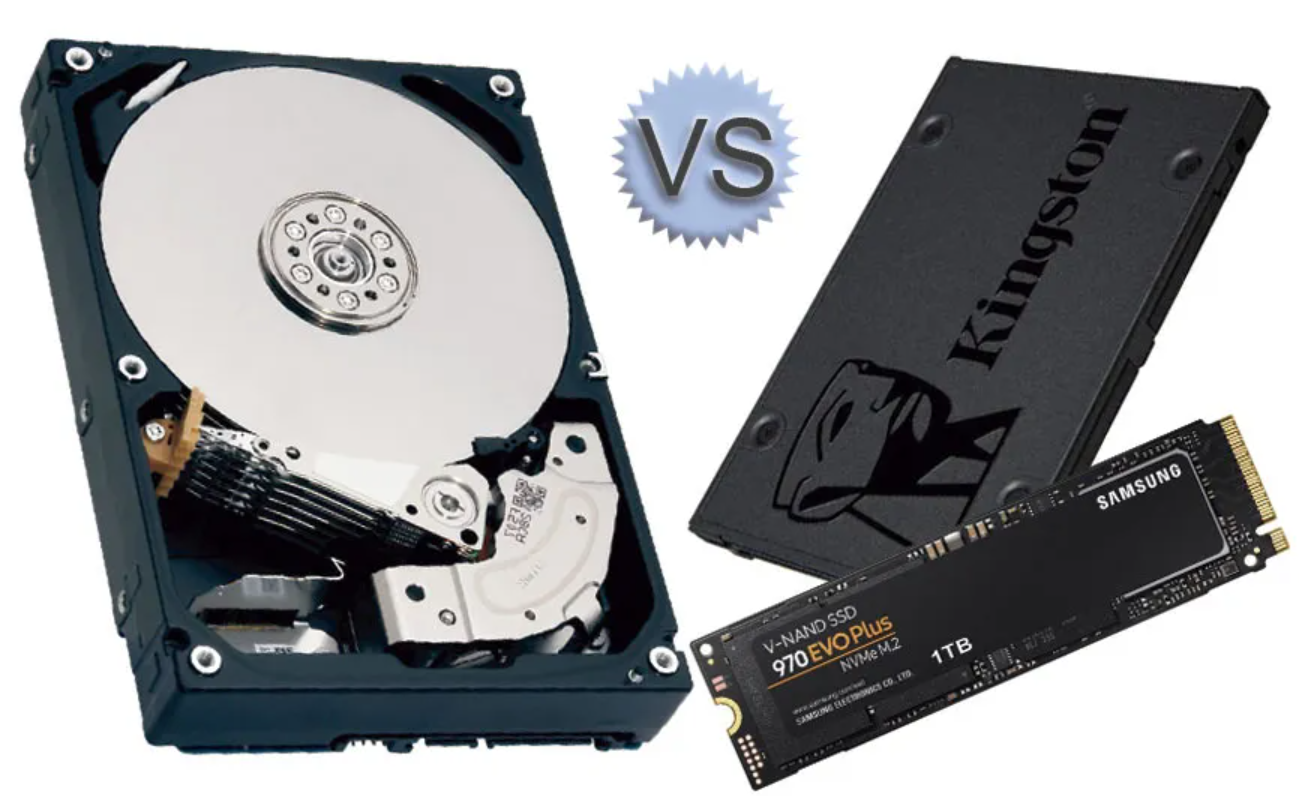
There are two types of secondary storage:
- Hard Disk Drives: These use metal disks (called platters), covered in magnetic particles, to store all of their data
- Solid State Drives: These use microchips to store all of their data.
🔊📽️ Sound Card and Graphics Cards

Sound Card
- Processes sound: Converts digital data from the computer into sound you can hear through speakers or headphones.
- Handles input sound: Converts sound from a microphone into digital data the computer can store or edit.
- Improves audio quality: A dedicated sound card can make music, games, and videos sound clearer and more detailed.
Graphics Card
- Processes images and video: Creates the pictures, videos, and animations you see on the monitor.
- Handles complex graphics: Important for gaming, video editing, and 3D design.
- Takes pressure off the CPU: Has its own processor (GPU) so the main CPU can focus on other tasks.